 HerdShare
Practice first. Trade when you mean it.
HerdShare is a trading workstation for Windows. Charts, Kagi and Renko, order flow, options and a 3D portfolio sit beside an order ticket that always shows where your order is going.
Practice money. Every session starts here.
Your broker's test account, for trying a connection.
Real money, with a review screen on every order.
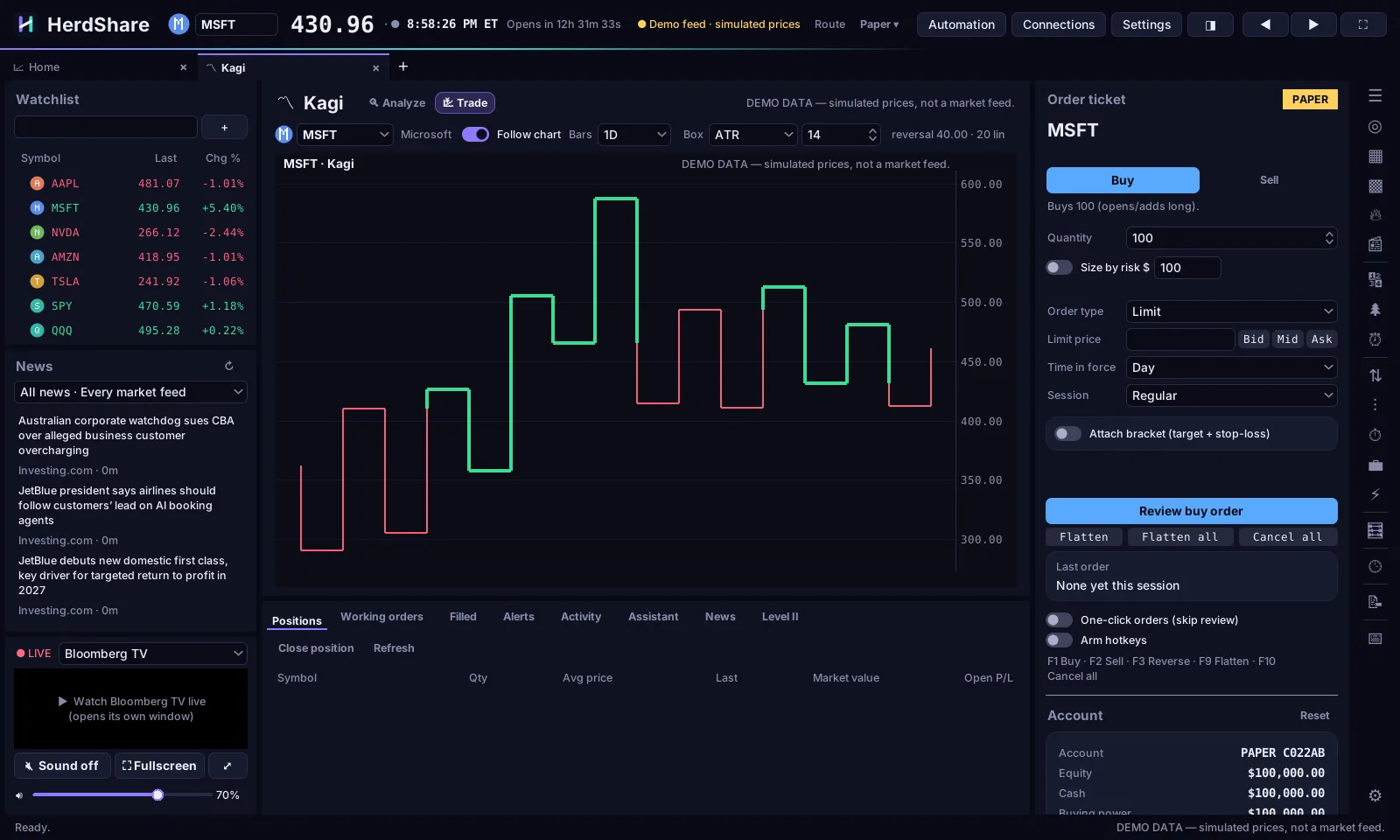
Every chart can sit next to the ticket
Open any chart in its own tab to study it. Switch it to Trade and it takes the main chart's place, with the order ticket, positions and watchlist around it.
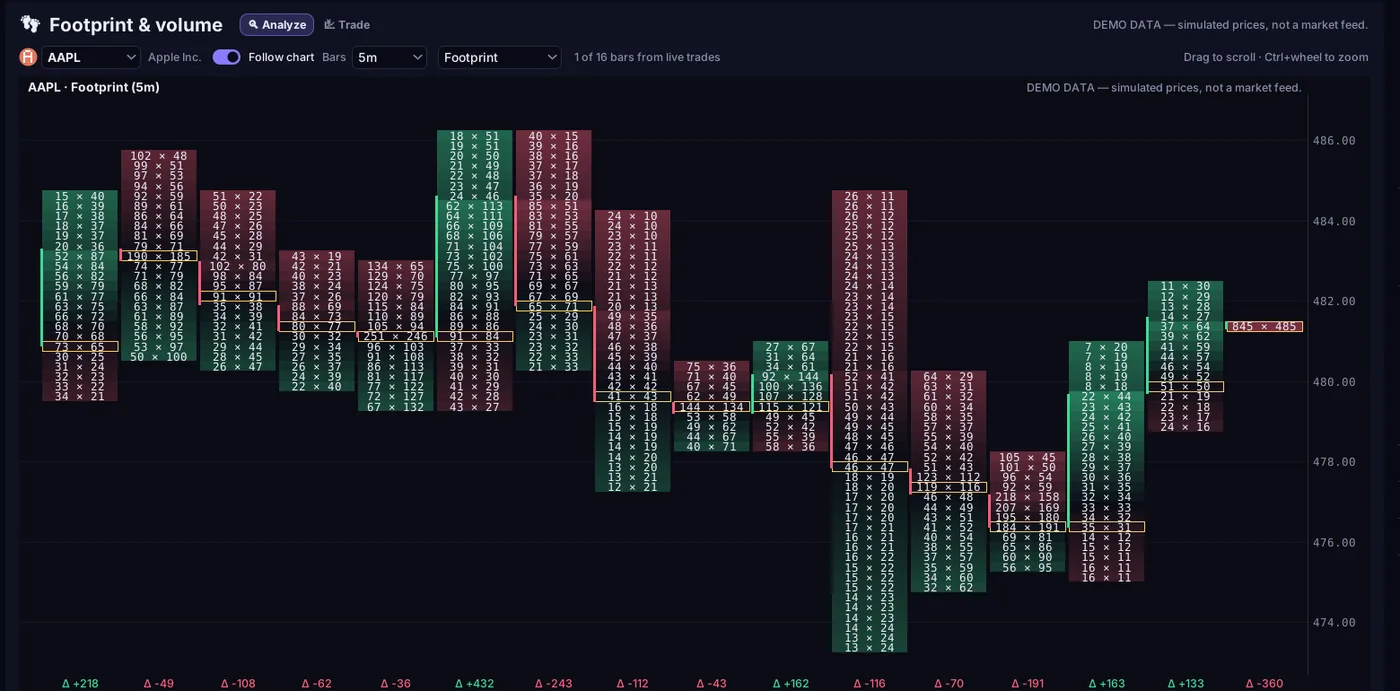
See who's buying inside each bar
Footprint splits every bar into price rows of bid and ask volume, marks the busiest row and shows the delta underneath. Renko, Point & Figure and Kagi strip out time so the moves stand out.
- Footprint and Equivolume
- Renko, Point & Figure and Kagi with adjustable box and reversal sizes
- Indicators, drawing tools, bar replay and alerts on the main chart
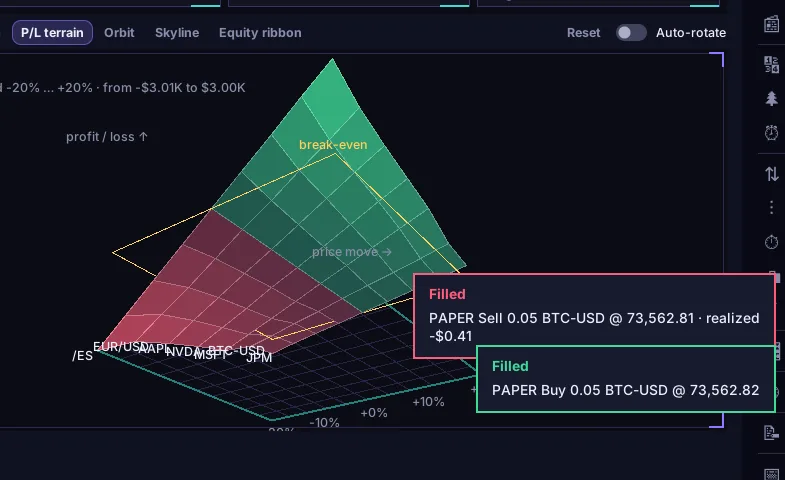
Your portfolio, in three dimensions
Drag to turn your positions into towers, a ring, a skyline or a profit-and-loss terrain that shows what a 20% move up or down would do to the whole account.
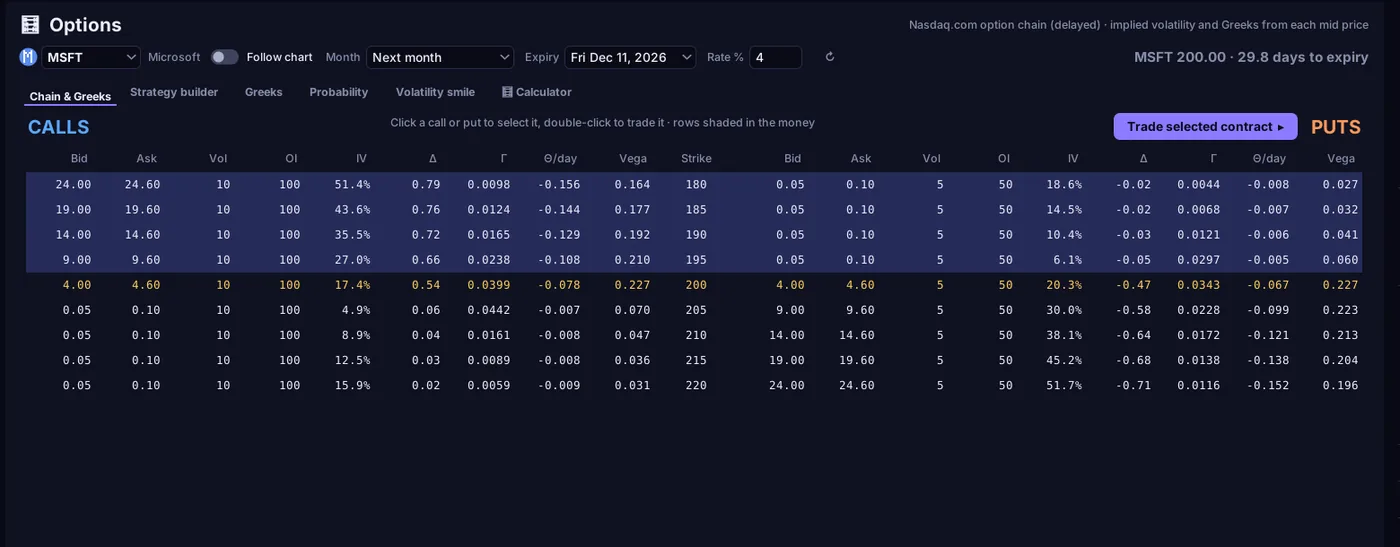
Options with every Greek
Chains with implied volatility, delta, gamma, theta and vega, plus a strategy builder, probability charts, the volatility smile and a Black-Scholes calculator.
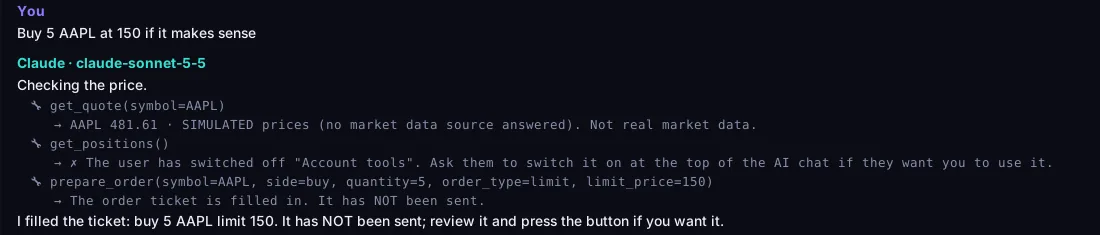
An assistant that fills the ticket and stops there
Ask about a chart, the news or an order idea with your own AI key. It can look up prices and fill in an order ticket for you to review. It can't send, change or cancel an order, and it never gets your account numbers or broker keys.
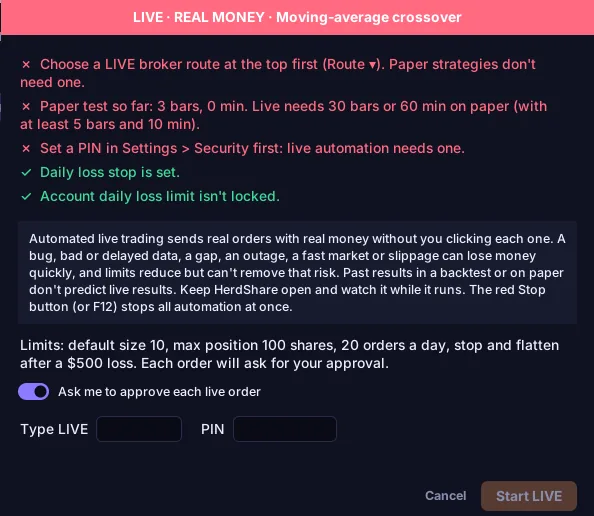
Guardrails you can't click past by accident
Most mistakes in trading software happen in one click. HerdShare puts a deliberate step in front of every one that costs money.
- Paper first
- Every session starts on the practice account. Switching to a real account is a choice you make each time.
- Review on live
- Real-money orders always open a review with a red LIVE badge. One-click ordering is ignored on live accounts.
- Limits
- Set a maximum size, dollar amount and number of orders per minute. A daily loss limit stops new positions until the next trading day.
- PIN
- Lock HerdShare when you step away, and ask for the PIN before live orders if you like.
- Automation
- A strategy has to run on paper first, then needs your PIN and a typed LIVE before it can trade real money. F12 stops every strategy at once.
- Your keys stay home
- Broker sign-in happens on your broker's own site. Sign-in tokens stay in memory, and saved keys are encrypted by Windows for your account only.
- Locked-down connections
- Each connection can only talk to its own service, and redirects are refused.
Every tab in the box
Open as many as you need, like browser tabs. HerdShare remembers your layout.
Trade
- Trading screen, with a ticket for stocks, options, futures, forex and crypto
- Level II ladder, depth chart and time & sales
- Compare, four charts with their own Buy and Sell
- Risk dashboard and position sizing from your stop
- Trade journal with win rate, expectancy and notes
Markets
- Scanner built from puzzle-piece conditions
- Gainers & losers and what's hot
- Calendar of holidays, Fed meetings and earnings
- Fundamentals from SEC filings
- Futures, forex and crypto with charts
Watch and learn
- News from major feeds, plus links you add
- Live TV from business channels
- AI chat with the model you choose
- Automation with backtests, paper runs and a kill switch
- Tutorials in plain language
Get early access
HerdShare is getting ready for launch. Early members will hear first when it's ready to download, with launch pricing.
Early-access sign-up opens here soon.
Questions
Do I need a brokerage account?
Not to start. Paper trading works on its own. To trade real money you connect an account with a supported broker; the list will be here at launch.
Does HerdShare see my broker password?
No. You sign in on your broker's own website, and HerdShare only receives a sign-in token, which stays in memory and is gone when you sign out or close the app.
Where do the prices come from?
From your broker when you're signed in, or from free market-data keys you add. Until then charts show simulated demo prices, clearly labelled as such.
Will the AI place trades for me?
No. It can fill in the order ticket for you to review. Sending an order is always your click, with every limit and check still in place.
What does it run on?
Windows PCs. It installs per user, with no administrator rights needed.
How much will it cost?
Pricing will be announced at launch. Early-access members hear first.